AI Agent vs App: What Is the Difference and Why Malaysian SMEs Should Care
Apps, assistants, and agents have overlapping capabilities. Compare how each handles decisions, integrations, permissions, and review before choosing a business workflow.
The Simplest Way to Understand the Difference
Imagine a workflow that checks attendee availability, books a meeting room, sends invitations, and prepares an agenda. A manual approach moves between calendar, email, and document tools. Existing apps may already automate parts of this process through scheduling features, rules, or integrations.
In an agent-based implementation, you describe the meeting goal and provide the approved calendar and document connections. The agent can propose a time and draft an agenda from authorised notes. Whether it can send invitations automatically depends on its tools, permissions, and the approval rules configured for the workflow.
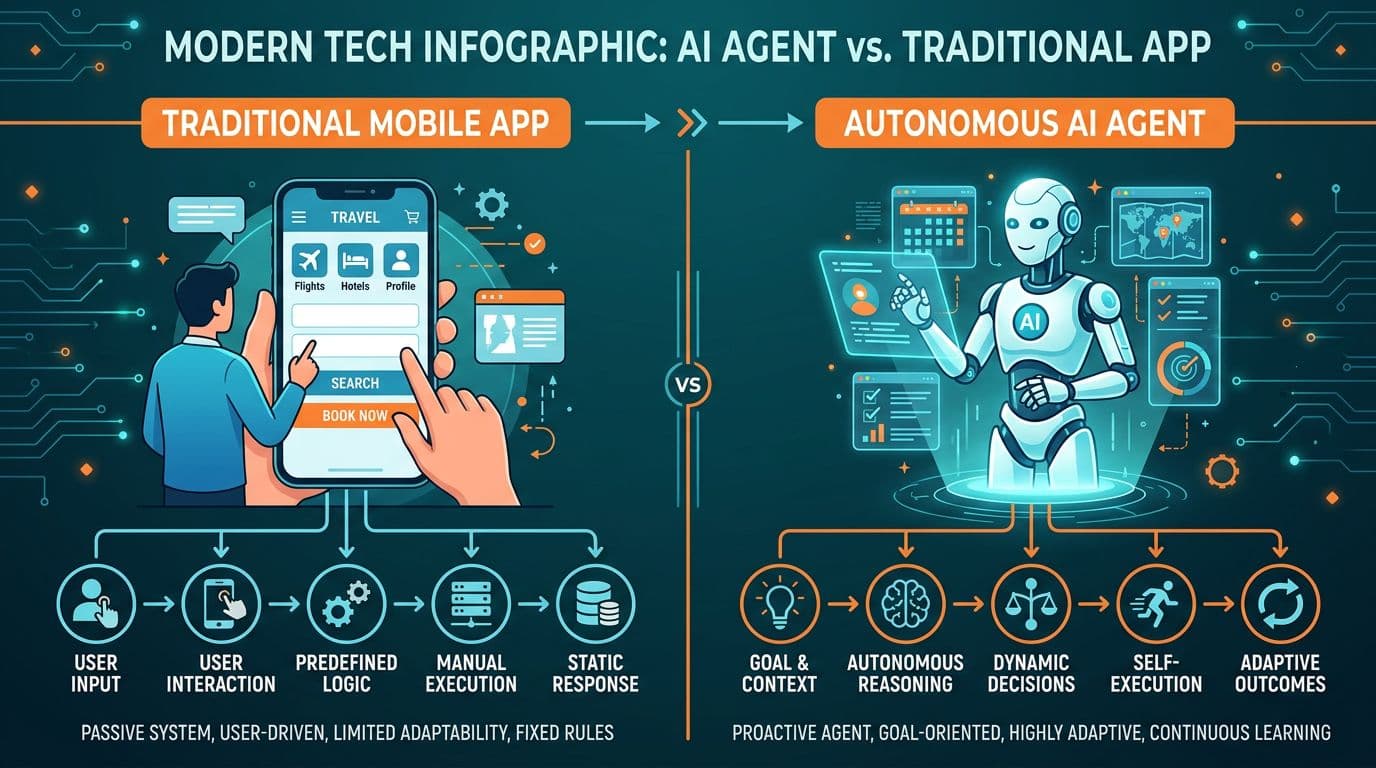
The useful distinction is how the workflow chooses and executes its next step. An agent can use a model to select actions toward a goal; an app may use fixed rules, model-based features, or both. Product labels alone do not tell you what the system can do.
What Makes an AI Agent Different from an App?
Compare the implementation across four properties instead of assuming that every app or agent behaves the same way:
- Autonomy: Apps can run scheduled or event-triggered workflows. Agents can use a model to choose actions toward a goal, within configured limits.
- Persistence: Apps often store records and user preferences. Agent memory also depends on the storage, retention, and retrieval features configured for it.
- Tool use: Both apps and agents can connect to APIs and other systems. Check the actual connectors, permissions, and supported operations.
- Adaptability: A model can change its proposed next step using the available context. This does not mean that every agent learns permanently from each interaction or acts reliably without testing.
Illustrative Workflow: Accounting
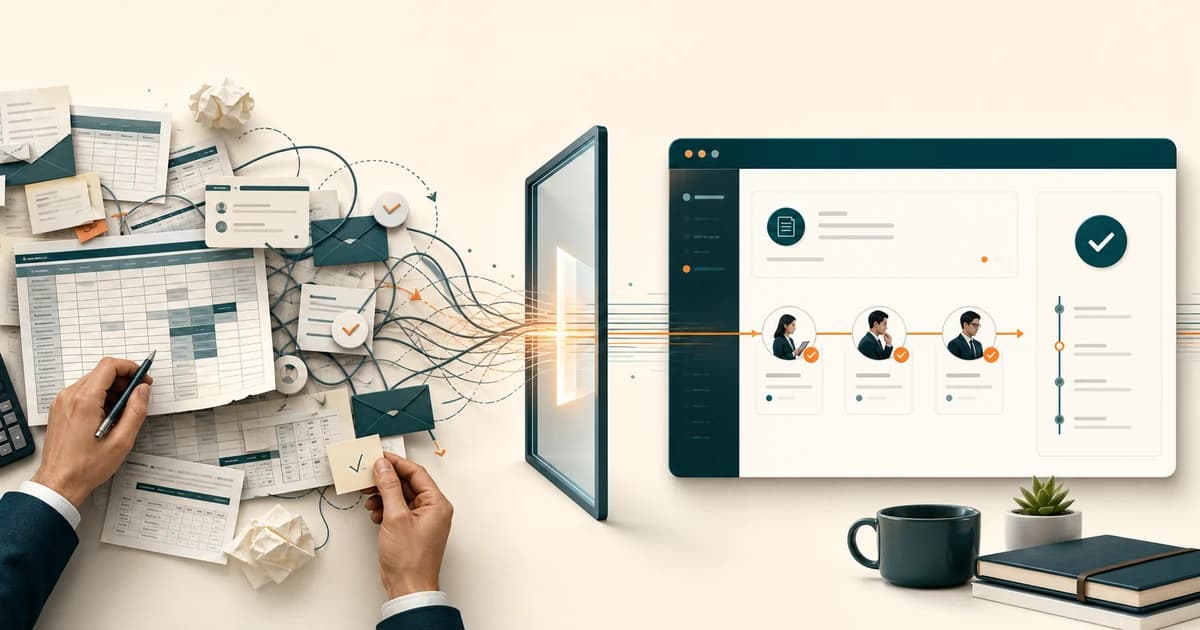
Consider a team that manually copies completed job details into its accounting software to prepare invoices. The opportunity is the handoff between job records and invoice drafts. First check whether the existing software already supports the required import, API, or rules-based automation.
One possible implementation receives a completed-job notification, retrieves the authorised job record, and prepares a draft invoice through a supported integration. The accountant checks the customer, line items, tax treatment, and duplicates before approving it. This is an illustrative design, not a measured customer result or a claim that every accounting product supports the same integration.
The accounting system remains the system of record. A custom agent can handle the repetitive workflow around it. AI agents create value when they automate the handoffs between your existing systems.
AI Agent vs AI Assistant: Another Important Distinction
Assistant and agent features increasingly overlap. A chat interface may include connected tools or scheduled tasks, while an agent may still ask a person before taking an action. Evaluate the available features and settings:
- Interaction: Check whether a task starts from a message, a schedule, an external event, or a combination of these.
- Action selection: Check whether the workflow follows predefined rules or lets a model choose the next tool and step.
- Connections: Check which approved files, email accounts, calendars, and APIs the product can access on your plan.
- Controls: Check permissions, approval gates, logs, failure handling, and how to stop or reverse an action.
Microsoft documents autonomous agents in Copilot Studio that respond to events and execute tasks without waiting for a chat prompt. This shows why a blanket claim that paid assistants cannot run workflows is misleading. Confirm the capabilities of the specific product, plan, and configuration you are comparing.
When Should Malaysian SMEs Use Apps vs Agents?
Not every process needs an AI agent. Use this decision framework:
- Use apps when: the task is well-defined, requires human judgement at every step, involves sensitive financial transactions, or has strict compliance requirements (payroll, tax filing, statutory reporting).
- Use AI agents when: the workflow needs interpretation of varied inputs or model-guided decisions across approved tools, and its output can be checked. For predictable steps, consider rules-based automation first.
- Use both together when: you want to keep your existing business software (Biztrak, FlexHRMS) but automate the manual work around them, such as data entry, report generation, notification routing, and scheduling.
The Cost Reality for Malaysian Businesses
Compare the total cost of delivering the same workload at the same quality standard. A model API bill is only one part of an agent implementation. Software subscriptions, integration, hosting, maintenance, and human review also affect the budget.
- Software and subscriptions: check the licences and paid services required for the complete workflow.
- Model usage: estimate input and output tokens, tool calls, retries, and expected task volume using current provider pricing.
- Local models: include hardware, electricity, operation, and any model licence restrictions even when there is no per-call API charge.
- Implementation and operation: include integration, security configuration, testing, monitoring, maintenance, and support.
- Human review: budget time for approvals, exception handling, corrections, and responsibility for the final result.
Compare measured staff time before and after the pilot, including review and rework. Do not compare a small API bill with a full salary as though the agent performs the entire role. Any saving or payback estimate should use your own workload and the full implementation and running costs.
The Risks of Getting It Wrong
Both apps and agents can cause harm when they have excessive access or inadequate controls. An agent that chooses actions across several connected systems needs clear limits, approval gates, and a way to stop the workflow when something goes wrong.
- Data leakage: Agents with email and file access can inadvertently share confidential information if the AI model misinterprets an instruction.
- Automation errors at scale: incorrect rules or model decisions can repeat across many records before a person notices.
- Security vulnerabilities: integrations, plugins, and dependencies add components that need permission review, updates, and monitoring.
- Compliance gaps: Malaysian businesses subject to PDPA must ensure AI agents handling personal data comply with data protection requirements.
You manage these risks through proper configuration, security hardening, access controls, and regular auditing. "Install it and let it run" is not a responsible approach for any business handling customer or financial data.
The Practical Path Forward
For most Malaysian SMEs, the practical approach is to layer agents on top of existing apps. Keep Biztrak for accounting, FlexHRMS for HR, and your CRM for customers. Add an AI agent layer to automate the repetitive handoffs between these systems. If your customers reach you on WhatsApp, add a custom AI chatbot that knows your SOPs. Start small: one process, one automation, measurable results. Then expand through a custom AI engagement.
The businesses that do well in 2026 will not replace everything with AI. They will automate boring, repetitive work so their people can focus on decisions, relationships, and creative thinking.
For a simpler starting point, read AI automation for small businesses: start with one daily task. It shows how to pick one repeated desk pile and decide whether it belongs in a sprint.
Which Workflow Should You Automate First?
Bring one repeated task, its input documents, and the approval rules. GreatRise can help scope the integrations, review steps, and operating cost.