

PHP2Shell: What Malaysian Businesses Should Check
The October 2026 PHP security news raises a practical question for business owners: who maintains the software behind your website and connected systems? Start with this checklist.
Unsure who maintains your website or how it connects to your business systems? Discuss the systems, responsibilities, and review scope with our Kuching team.
PHP2Shell is the name used for two critical PHP vulnerabilities disclosed in October 2026. If your company depends on a PHP website or application, ask the person responsible for hosting to confirm the relevant security updates. For business owners and operations teams in Malaysia, the immediate priority is establishing which systems are affected and who will act. A vulnerability announcement alone does not establish that your company has suffered a data breach.
Information checked on 27 October 2026. Start with what happened, check the latest update guidance, or send your provider the business checklist.
Concept illustration of a business website connected to a server, documents, and a database, with a shield symbol representing a maintenance review.
What Happened in the PHP2Shell Disclosure?
The PHP Foundation says vulnerability identifiers circulated on 20 October, disrupting coordinated disclosure and bringing the release forward to 21 October. The issues are CVE-2026-109618 and CVE-2026-109619, both rated 9.2 under CVSS v4.0. They can allow an attacker to run code on a vulnerable server under the relevant conditions. See the PHP Foundation account published on 21 October.
References to a PHP leak can therefore be confusing. In this disclosure, leaked advance information and vulnerability details are different from stolen customer records. Your provider needs to assess exposure and review evidence before drawing conclusions about your own systems.
PHP2Shell Updates to Check With Your Provider
PHP released fixes in 8.5.12, 8.4.27, 8.3.36, and 8.2.35. Its 21 October advisory covers PHP installations serving web requests, with the highest stated risk for Apache mod_php. A WordPress plugin update alone does not confirm that the underlying PHP runtime has been patched. Ask your host to identify the package actually serving your application and confirm the applicable fix, including any vendor backport. See the official PHP security advisory.
Follow-up guidance matters too. On 23 October, PHP recommended session.upload_progress.enabled=0 pending a bugfix for an unusual session-handler configuration. On 26 October, PHP issued Windows package rebuilds with a -1 suffix for a separate Brotli vulnerability; the runtime version number stays unchanged. Ask your administrator which applies. Read the 23 October session advisory and 26 October Windows update before changing production settings.
A Checklist to Send Your Hosting Provider
You do not need to diagnose the PHP engine yourself. Ask for a written response that identifies the affected applications, action taken, and remaining work. Include the main website, subdomains, old portals, and any separate server used for forms or integrations. The following questions can go into a support ticket:
- Which of our websites and applications use PHP, and who is responsible for updating each one?
- Which PHP package and deployment configuration serves each application, and has the vendor confirmed the relevant fixes?
- Have you checked the follow-up session guidance and, where applicable, the updated Windows packages?
- When was the update applied, and were the affected services restarted or redeployed as required?
- Have you reviewed relevant logs and alerts, and are there signs that require further investigation?
- Have you tested our contact form, logins, document uploads, and connected workflows after the change?
- Who owns the remaining actions, and when will we receive confirmation that they are complete?
Keep the reply with your system documentation. A message saying the website is working answers an availability question; you still need confirmation of the package update and the application checks. If your provider finds suspicious activity, ask them to preserve relevant evidence and involve an incident-response specialist as needed.
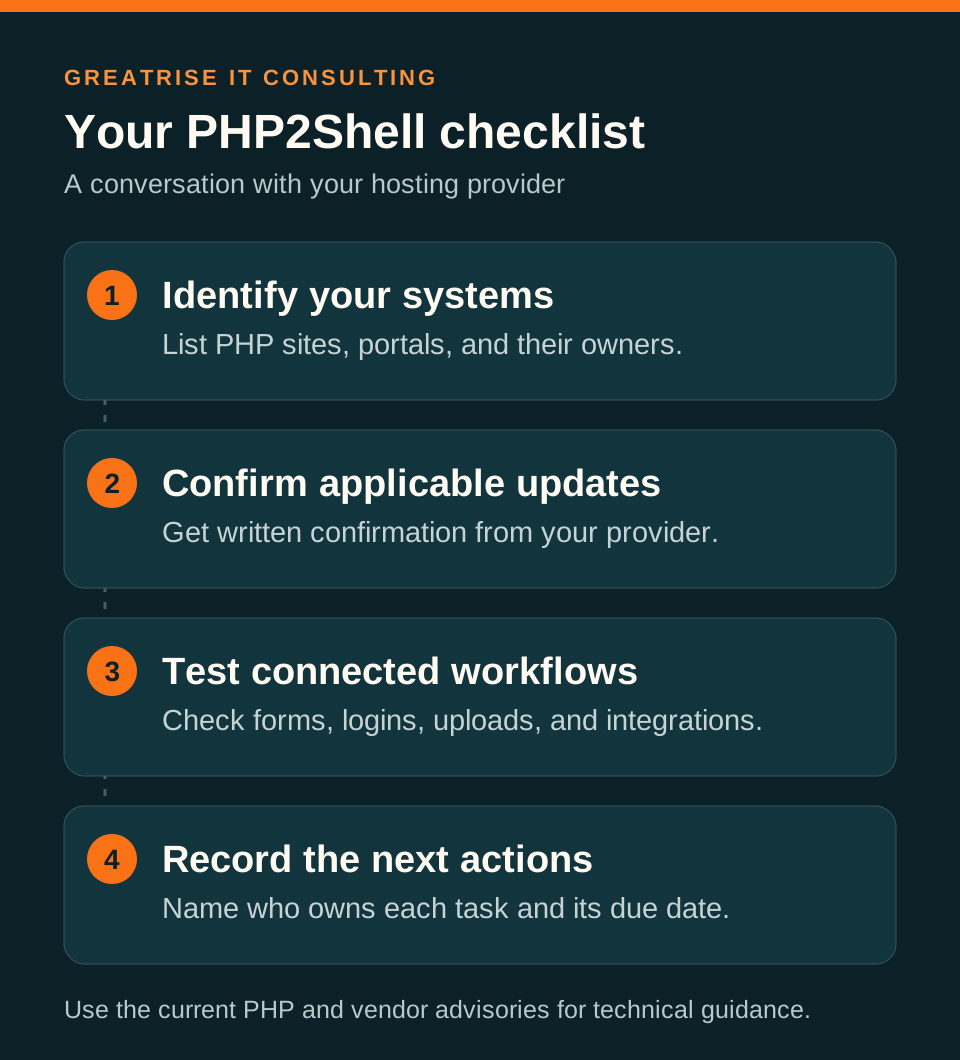
PHP2Shell business checklist: identify your systems, confirm applicable updates with your provider, test connected workflows, and record the next actions and their owners.
Check What the Website Can Access
Consider a website form that sends an enquiry into a customer database, or a document portal that passes uploaded files into an approval workflow. These are examples to check against your own setup. Record which accounts and credentials make each connection work, who owns them, and what data they can read or change.
As a practical review step, ask whether each connection needs its current permissions. An enquiry form may only need to create a new record. A reporting task may only need to read an approved export. Document those boundaries so future maintenance and integration work has a clear starting point.
Include AI Automation in the System Review
An AI workflow may depend on a PHP portal even when the AI service itself uses another technology. A useful review follows the whole process: where information enters, which system holds the official record, and which account can trigger an action. Keep spending approvals and other business decisions with the authorised people and systems.
For example, a proposed automation could read approved purchase requests and prepare a reminder for the responsible manager. The purchasing system would still enforce approval authority. GreatRise scopes AI workflow automation around these inputs, integrations, and review steps; the workflow design should make ownership explicit before unattended work starts.
Decide Whether to Maintain or Modernise
A security update does not automatically justify rebuilding a working system. Begin by asking whether the existing application can run on a supported runtime, whether its dependencies can be maintained, and whether someone can test important functions after changes. A documented maintenance plan may be the appropriate next step.
A broader review becomes useful when nobody owns the source code, routine updates break essential work, or staff depend on an old portal with undocumented connections. List the business functions that must survive any change before comparing repair, migration, and replacement. Our custom software development services cover operational systems where workflows and integrations need to fit the business.
Discuss Your Business Systems With GreatRise
GreatRise IT Consulting is based in Kuching, Sarawak, and has delivered custom business systems since 2009. Our work includes procurement and budget workflows, Excel-to-system projects, and AI automation. A conversation can start with the systems you rely on, the maintenance responsibilities you already have, and the business process you want to improve. Explore our IT consulting in Kuching.
For a PHP2Shell-related enquiry, bring your provider response and a list of connected applications. Share a description of the problem through the contact form; arrange an appropriate channel before sharing credentials or customer records. That gives us a useful starting point for discussing the scope of a system review or improvement project.
Frequently Asked Questions
Does PHP2Shell mean my customer data has leaked?
A vulnerability disclosure does not establish that your business suffered a breach. Your hosting provider or security team needs to assess the affected configuration and review logs and other evidence. Ask for findings specific to your systems rather than drawing conclusions from a headline.
Is updating WordPress enough to address PHP2Shell?
Ask your hosting provider to confirm the underlying PHP runtime fix. WordPress, its plugins, the PHP runtime, and the server have separate update responsibilities. Check the official PHP advisory and follow-up guidance, then test the website and connected functions after the applicable changes.
Should we replace our PHP business system?
Base that decision on maintainability and business needs. First establish whether the application can run on a supported, patched runtime. Consider a wider review if dependencies block updates, essential functions fail after changes, or nobody owns the source code and integrations.
What should I prepare before speaking to GreatRise?
Prepare a list of websites and business applications, the people or vendors maintaining them, and any written update confirmation. Describe the workflow you need to improve and its connected systems. Keep passwords and customer records out of the initial enquiry; agree a suitable channel if access is needed.
Need a Clearer Plan for Your Business Systems?
Use the PHP2Shell checklist to get an update confirmation from your provider. Then talk to GreatRise about system ownership, legacy workflows, integrations, or a practical AI automation project.