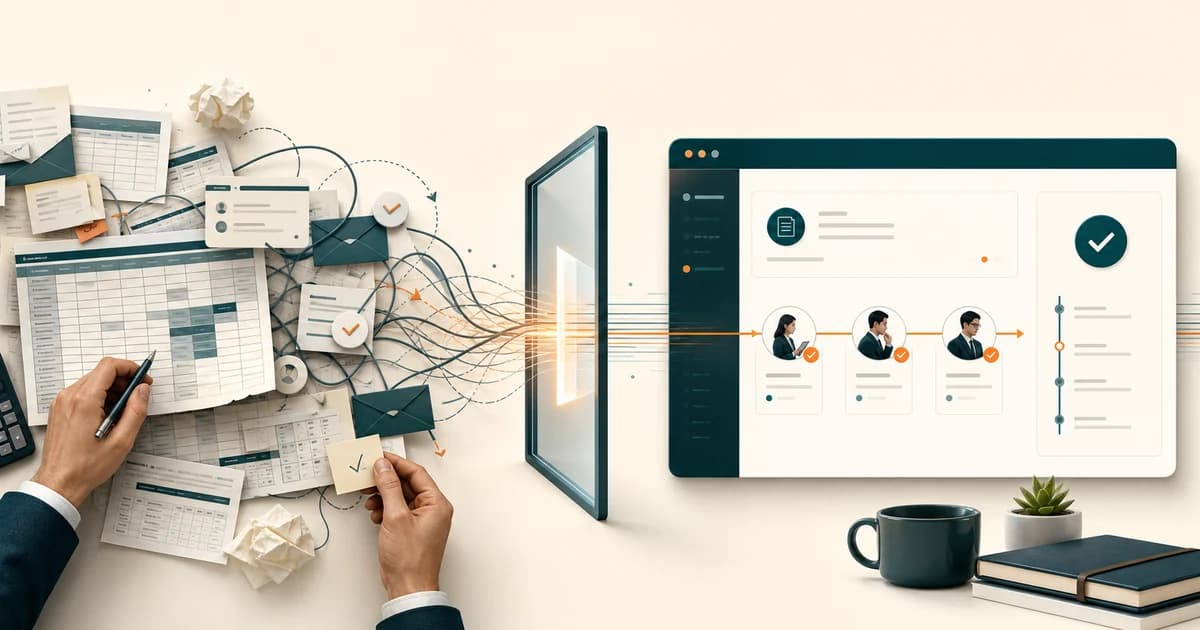

AI Automation for Small Businesses in Malaysia: Start With One Daily Task
A first automation for a Malaysian SME is one pile your team already opens every day: invoices, WhatsApp, leave, or statements. Staff keep the exceptions.
AI Automation for Small Businesses Starts With One Repeated Task
AI automation for small businesses in Malaysia starts with one daily pile your team already opens: supplier invoices in the inbox, the same WhatsApp questions, leave forms waiting on a manager, or statement pages someone types into Excel. You map the input and the destination, put a person on anything the workflow cannot stand behind, and leave the rest of the company alone until that pile is quiet.
GreatRise has built operational systems from Kuching since 2009. The first automation we scope is the job a staff member can describe without a slide deck. The build itself is an AI workflow automation sprint, typically RM 8,000-15,000 for two to three weeks, connected to Biztrak, FlexHR, Excel, or the database you already run.
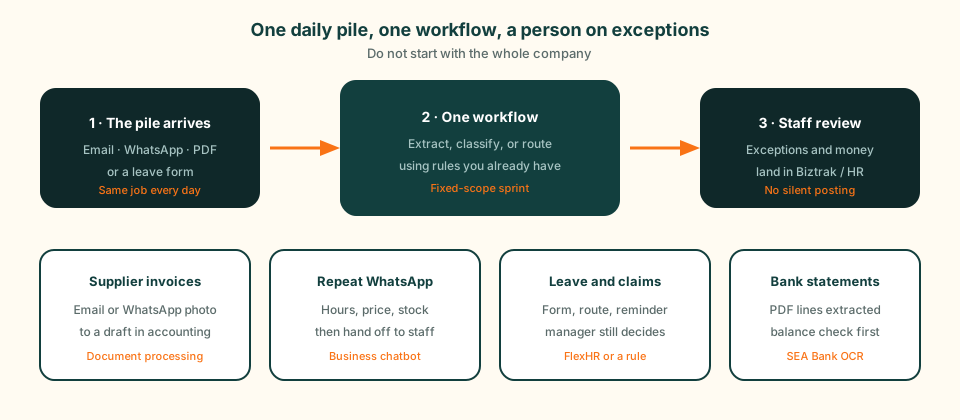
Diagram of a first daily automation for a Malaysian SME: a pile arrives by email, WhatsApp, or PDF; one workflow extracts or routes it; staff review exceptions before the record lands in accounting or HR.
How to Tell a Daily Task Is Ready
Write the job in one sentence your clerk would accept. If you cannot, the process is not ready. Then check four things.
- It happens on most working days, not once a quarter.
- The input arrives in the same place: one inbox, one WhatsApp number, one shared folder.
- Someone can name the output: a draft in accounting, a routed chat, a reminder to a manager.
- A person can check the result in a minute. If a wrong answer would post money or change a contract with no review, the task stays with staff.
The morning invoice inbox passes this test. “Make the office smarter” does not. Start with the inbox.
Daily Piles We See in Malaysian Offices
These are the desks we walk past in Kuching, Sibu, Miri, and remote teams on the Peninsula. Each one already has a service page if you want the build, not the choosing guide.
- Supplier invoices as PDF or WhatsApp photos, typed into accounting. See invoice OCR and the wider document processing pipeline.
- Bank statement pages re-keyed before reconciliation. SEA Bank OCR converts them today; the statement page covers a landing step into the ledger.
- The same WhatsApp questions after hours: opening hours, price, stock, “where is my order?”. That belongs on a business chatbot, with a person on complaints.
- Leave and claims sitting in email until a manager notices. FlexHR already holds EPF, SOCSO, and PCB if you run payroll there. A rule-based reminder can cover this without a model.
- Monday reports assembled from three spreadsheets. A scheduled export from the system of record beats another AI slide.
A Morning Invoice Inbox, Before and After
A clerk opens the shared inbox, downloads attachments, reads supplier, invoice number, date, tax, and amount, types them into Excel or Biztrak, then sends a summary to the manager. The figures already exist on the page. The work is moving them.
After a sprint, the inbox is watched. Each file is classified and the fields are extracted. Totals and supplier IDs are checked. A draft lands in accounting. Missing tax, an unknown supplier, or a photo the extractor will not stand behind goes to the clerk with the values filled in. The manager still accepts payment. The clerk stops starting from a blank row. That is AI document processing, not a chatbot and not a full agent.
When a Rule Is Enough
A submitted leave form can email the manager. A “paid” status can remind accounts to issue a receipt. Those jobs do not need a model. They need a trigger, a destination, and a log. That work sits closer to business process automation.
Bring in extraction or language tools when the file or the message is different every time: a new supplier layout, a mixed English-Malay-Chinese WhatsApp, a scanned delivery order. If the next step writes a record or sends money, you want a short list of allowed actions and a human gate. That distinction is written out in AI agents versus ordinary apps. The daily-task rule stays the same: one pile, one destination, a person on exceptions.
What the First Sprint Costs, and What It Leaves Alone
A fixed-scope sprint for one daily workflow is typically RM 8,000-15,000 over two to three weeks. You get the sample audit, the workflow, the connection, the review queue, and training. You do not get every department, a new ERP, or a bot that posts to the ledger with no one watching.
Two costs sit outside the build. If a hosted model reads the files, the provider bills usage. If the channel is WhatsApp, Meta bills messaging. We put a monthly estimate in MYR on the quote. Statement conversion can start on the SEA Bank OCR free 5-page plan if you only need Excel out.
Mistakes That Waste the First Build
- Starting with six processes because a vendor demo showed six.
- Automating a process nobody can describe. Write the steps down first.
- Letting the workflow post money, HR, or a customer reply with no review.
- Buying a tool and leaving the clerk to configure it after hours.
- Skipping the landing system. A CSV that someone re-imports is still typing.
What to Bring to a Scoping Call
One week of the real pile is enough: invoice emails, a WhatsApp export, leave forms, or statement PDFs. Name the person who does the work and the system the result must reach. We will tell you whether that pile is a sprint, a self-serve converter, or still a person. The AI readiness score is useful if you want a written snapshot first.
Read Next
These pieces cover the planning around a first daily task:
- AI automation costs and first workflows for SMEs. What a first project costs, and how to order the next workflows once the first pile is live.
- WhatsApp chatbot price and setup. Cost, Meta billing, and the steps to go live on WhatsApp.
- AI agents versus ordinary apps. When the job is an answer, a rule, or an action inside a system.
Frequently Asked Questions
What daily work should a small business automate first?
The pile someone already opens every morning and can describe in one sentence: supplier invoices from email, the same WhatsApp questions, leave forms waiting on a manager, or statement pages typed into Excel. If the steps change every time, fix the process first. If a person cannot check the output, leave it alone.
Do I need AI, or is a simple rule enough?
A rule is enough when the trigger and the action never change: a submitted form sends an email, a status change reminds a manager. Use extraction or language tools when the input is a PDF, a photo, or a mixed WhatsApp message. We say which side you are on in the scoping call.
How much does a first automation sprint cost in Malaysia?
A fixed-scope sprint for one daily workflow is typically RM 8,000-15,000 over two to three weeks. That covers the audit, the build, the connection to the system you already run, and training. Model usage and WhatsApp messaging, if any, are billed by the provider. Bank statements have a cheaper self-serve path at SEA Bank OCR.
Will this replace my staff?
No. The sprint takes the retyping and the sorting. A person still accepts money movements, HR decisions, and anything the pipeline is unsure about. The point is that they stop starting from a blank form.
Can the first workflow feed Biztrak or FlexHR?
Yes. Invoice and statement work can land as a draft in Biztrak. Leave and claims can sit on FlexHR if you already run it, or on a small approval flow if you do not. We do not ask you to replace the system the record already belongs in.
What should I bring to a scoping call?
One week of the actual files or chats: invoice emails, WhatsApp exports, leave forms, or statement PDFs. Name the person who does the work today and the system the result must reach. That is enough to tell you whether the pile is a sprint, a self-serve tool, or still a person.
Show Us One Daily Task
Bring a week of the emails, invoices, or WhatsApp threads your team repeats. We will tell you whether it belongs in a sprint, a self-serve tool, or stays with a person.